> ## Documentation Index
> Fetch the complete documentation index at: https://docs-next.gallabox.com/llms.txt
> Use this file to discover all available pages before exploring further.

# Pabbly

> Connect multiple applications seamlessly with Pabbly. Integrate Gallabox and send Template Text Messages effortlessly. Explore 1000+ integrations with Pabbly Connect.

Pabbly provides you the ability to integrate multiple applications by managing the data flow smoothly. You can connect two or more apps with Gallabox and and send the Template Text Message via Gallabox.

Let's see how you can connect Gallabox with 1000+ integrations using Pabbly Connect.

### Access Pabbly from your Gallabox Account

1. From the left navigation go to **Integration** and Click on **Pabbly** from the available apps.

<Frame>
  <video src="https://mintcdn.com/gallabox/zlyXiaXI2I0eCp1u/images/pabbly-integration-in-gallabox.mp4?fit=max&auto=format&n=zlyXiaXI2I0eCp1u&q=85&s=3d2c43e4964b43b1d96f207f6ce357d6" autoPlay loop muted playsInline controls className="w-full aspect-video" data-path="images/pabbly-integration-in-gallabox.mp4" />
</Frame>

2. You will be redirected to the Pabbly Connect page which will ask you to connect your Gallabox account with 1000+ integrations. Click on Blue Button with Text **Connect Gallabox For Free** and it will redirect to the payment page if you don't have any Pabbly subscription else it will redirect you to your Pabbly account.

<Frame>
  <video src="https://mintcdn.com/gallabox/uG1_eXMWKizfNJ6h/images/connect-gallabox-with-pabbly.mp4?fit=max&auto=format&n=uG1_eXMWKizfNJ6h&q=85&s=fd94affa49b95a93071c8d1c69960635" autoPlay loop muted playsInline controls className="w-full aspect-video" data-path="images/connect-gallabox-with-pabbly.mp4" />
</Frame>

<Info>
  If you don't have Pabbly account, take the subscription that will work for your business and then go to dashboard.
</Info>

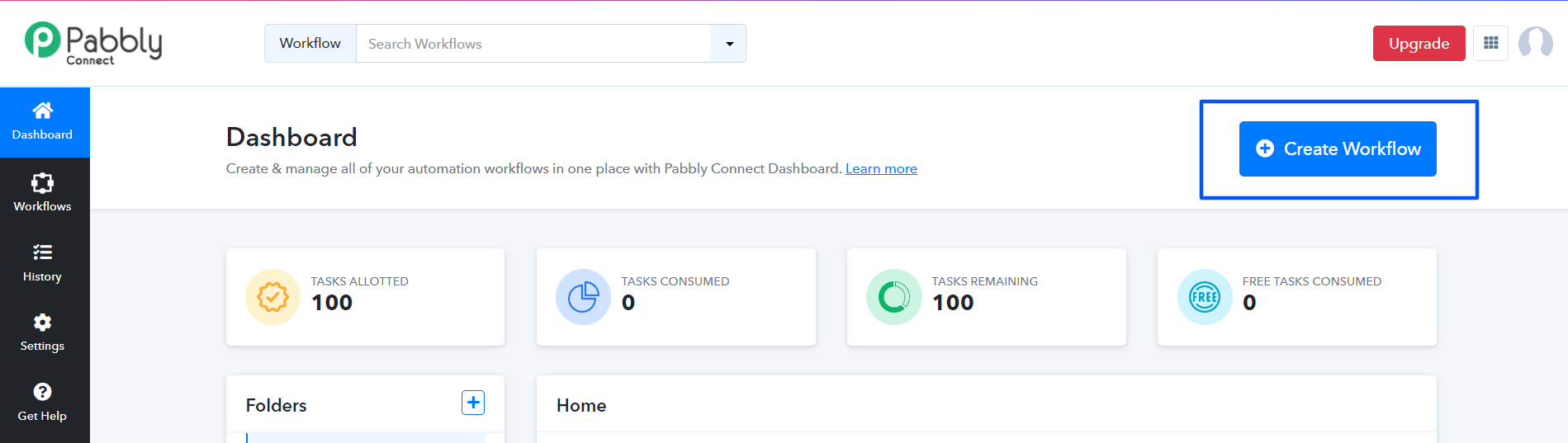
3. Click on the Create Workflow button to start creating workflows.

<Frame>
  <img src="https://mintcdn.com/gallabox/zlyXiaXI2I0eCp1u/images/pabbly-1-4.png?fit=max&auto=format&n=zlyXiaXI2I0eCp1u&q=85&s=4fa21b64eb910ba660a06e96f79f7efa" alt="" width="1899" height="537" data-path="images/pabbly-1-4.png" />
</Frame>

### Gallabox Pabbly Action Events

The following table outlines the various action events available in Gallabox Pabbly:

<table><thead><tr><th width="263">Event Name</th><th>Event Description</th></tr></thead><tbody><tr><td>Send Template Text Message</td><td>This Action event allows you to automatically send specific text messages.</td></tr><tr><td>Custom API Request (Beta)</td><td>This Action event allows you to execute custom API requests with the authentication of your application.</td></tr></tbody></table>

### Use-Cases

Explore the below possibility of connecting your Gallabox account using Pabbly Integration:

<Columns cols="2">
  <Card title="How to automatically send WhatsApp Messages from Google Forms using Gallabox" />

  <Card title="How to connect your Google Calendar with Gallabox" />
</Columns>
